On-prem AI in European manufacturing 2026: a complete architecture guide
Table of contents
- Why this piece and who it's for
- Definitions we don't conflate
- Three use cases where on-prem makes sense
- Reference architecture: seven layers
- GPU sizing: numbers, not promises
- Security: segmentation, audit, secrets
- Integrations: ERP, MES, PLM, ticketing
- TCO: the full bill for 500 FTE
- Build vs buy: when DIY, when productized
- Disclosure and biases
- What I don't cover here
<a id="why-this-piece"></a>
Why this piece and who it's for
In 2026 more and more European manufacturers reach the same point. The board asks about AI. Sales asks about proposals. The service desk asks about a technical assistant. The design office asks whether drawings can be turned into specifications faster. And next to these questions sits the CISO with a copy of the amended national cybersecurity act, a supply-chain risk calculator, the AI Act, a group policy, GDPR, and ISO 27001. And one simple question: will public AI even pass here.
Increasingly the answer is: it won't. Or: it will, but at a control cost no one wants to bear. Or: it will, on condition of a deployment in an architecture you'd call on-prem anyway — so let's start with on-prem.
This piece is for the CISO, CIO, security architect, infrastructure manager, and compliance lead in a manufacturing organisation of 200 to 2000 people. It's not for the operational project sponsor (a different portal serves them). It's not for an undecided board (you speak to them differently). It's for the person who has to stand up an AI platform so it passes the audit, so the board isn't personally liable for a supply-chain incident, and so that in 18 months no one asks why we didn't do this better.
I'll show: how not to conflate on-prem with hybrid, where on-prem actually amortises, what the reference architecture looks like across seven layers, which specific GPUs you buy for Llama 3.1 70B and Mixtral 8x22B (with numbers), how to segment the network for audit, where integrations most often burn you (ERP, MES, PLM, ticketing), and how to compute TCO without marketing crutches. At the end there's a section on the build-vs-buy decision, with an honest take on when DIY on open source makes sense and when a productized vendor does.
The text assumes the reader knows what an LLM, RAG, and KV cache are. It doesn't assume the reader knows what an H100 really costs and how that spreads over a user-year.
<a id="definitions"></a>
Definitions we don't conflate
There's a terminological chaos in conversations with AI vendors that costs firms real money, because in the end they buy something that doesn't meet the requirements they were aiming for. Three models, three completely different regulatory risk profiles.
Public cloud LLM (OpenAI, Anthropic, Google Vertex, Azure OpenAI). Data (prompt, RAG context, output) leaves the organisation's perimeter. The vendor is in the NIS2 supply chain with access to query content and, depending on the mode, retrieval document content. Egress is controlled, but present. This is not on-prem. It is not a "private deployment." It's public cloud AI with optional zero data retention. If a vendor says "private cloud" and means its multi-tenant or single-tenant deployment on its own infrastructure, that's hosted SaaS, not on-prem.
Hybrid (model in the hyperscaler cloud, retrieval data local). Often sold as "private AI." In practice: the retrieval chunk is local (a vector DB on your infrastructure), but a document fragment together with the prompt goes to a public inference model (Azure OpenAI, AWS Bedrock, Vertex). For NIS2, that's still a vendor in the supply chain, just with a narrower exposure scope. It can be acceptable, but requires separate Article 21 mapping and a separate security sign-off. Don't call it on-prem.
On-prem (inference model inside the organisation's perimeter). The GPU sits in your server room or your colo. The model runs on your OS, container, and runtime layers. Data (prompt, retrieval, output) doesn't leave the trust boundary defined in your security policy. Egress is possible for internet updates (base models, security patches, platform-vendor telemetry), but operational data stays. This is on-prem in the sense that will pass a NIS2 audit.
A fourth option worth naming for its marketing popularity: a managed appliance delivered to the client's server room by the platform vendor. From a data-exposure view it's on-prem (data local, model local). From an operational view it's hybrid (the vendor has privileged access to the appliance for maintenance). It's a combination that has to be mapped separately, usually with an MSA specifying the vendor's access layers and the break-glass procedure. It's sensible for firms that have a hardware budget and no MLOps team.
Where I write "on-prem" below, I mean the third variant. I name the fourth where it matters operationally.
<a id="three-use-cases"></a>
Three use cases where on-prem makes sense
Before we get into architecture: local AI isn't worthwhile for every workflow. Some projects run great on public-cloud AI, some on hybrid, some simply don't have the critical mass to justify GPU infrastructure. Three use cases that amortise on-prem in a mid-sized and larger manufacturer:
Service desk and technical troubleshooting. An assistant for service engineers that pulls context from product manuals, ticket history, service cards, and design documentation, and generates suggested resolution steps. The data is sensitive (customer, fault, design IP, sometimes a cyber-incident trace). Query frequency in a mid-sized firm: 200 to 2000 a day. A steady load characteristic. Ideal for on-prem, because it amortises per query and per day. Public-cloud cost at that volume over three years is comparable to on-prem CAPEX, plus the regulatory risk.
Work-instruction and SOP generation. Input: product documentation, health-and-safety instructions, standards, tool manuals, process-change history. Output: SOP drafts, workstation instructions, training materials, single-instruction operating cards. Lower volume than the service desk (50 to 300 generations a day), but longer context (10 to 100k retrieval tokens), so the compute per query is higher. On-prem makes sense because of the nature of the documents (often patent-protected, license-contracted, or safety-regulated) and because a public LLM rarely has sector specifics in its training data.
Technical proposals and drawing-to-offer. Workflow: input (a technical drawing PDF, an email, an RFQ, a DXF/STEP file), output (BOM, matched specifications, a commercial proposal draft, a calculation). Input: product catalogues, proposal history, price lists, discount policy, design data. This is data that 100% of B2B firms can't send through public cloud, because it contains strategic prices, margins, customer IP, and often pre-sale NDAs. Lower volume than the service desk (5 to 50 a day), but high value per case (a technical proposal worth EUR 50,000 to 500,000). Here on-prem is often a requirement, not a choice.
What on-prem doesn't need (i.e. when not to invest in infrastructure):
- A general-purpose copilot for office staff at large. Public-cloud Microsoft Copilot or equivalent. Distributed volume, less sensitive data, the benefit of consumer UX.
- Translation and copy editing of marketing documents. Public cloud.
- Code generation in IT (internal developers). Hybrid GitHub Copilot Enterprise or equivalent. On-prem doesn't make cost sense below 100 developers.
The rule: on-prem for narrow, intensive, sensitive workflows. Public cloud for broad, distributed, low-sensitivity workflows. Hybrid for the in-between.
<a id="reference-architecture"></a>
Reference architecture: seven layers
Every architectural decision in on-prem AI sits in one of seven layers. Skipping a layer or merging two into one is the most common cause of projects that reach production but don't pass an audit.
┌────────────────────────────────────────────────────────────┐
│  7. Observability and audit log (Loki/Grafana, SIEM)        │
├────────────────────────────────────────────────────────────┤
│  6. Application layer (UI, API, workflow orchestration)     │
├────────────────────────────────────────────────────────────┤
│  5. RAG pipeline (chunking, embedding, retrieval, rerank)   │
├────────────────────────────────────────────────────────────┤
│  4. Model serving (vLLM, TGI, TensorRT-LLM)                 │
├────────────────────────────────────────────────────────────┤
│  3. Container and runtime (Kubernetes, Docker, GPU operator)│
├────────────────────────────────────────────────────────────┤
│  2. Operating system (Ubuntu/RHEL, NVIDIA drivers, CUDA)    │
├────────────────────────────────────────────────────────────┤
│  1. Hardware (GPU, CPU, RAM, storage, network)              │
└────────────────────────────────────────────────────────────┘
Layer 1: Hardware. GPU (NVIDIA H100, H200, A100, L40S are typical choices in 2026 for on-prem inference; AMD MI300X shows up here and there, but the software ecosystem is still weaker). CPU (32 to 64 cores, Xeon Gold or AMD EPYC). RAM (256 GB to 1 TB, depending on support for model offload to CPU). Storage (NVMe SSD 2 to 8 TB locally, plus a storage backend for documents and the vector DB). Network (25 GbE minimum, 100 GbE for multi-node).
Layer 2: OS and drivers. Ubuntu LTS or RHEL/Rocky, NVIDIA drivers, CUDA toolkit, fabric manager for multi-GPU. This is where the first compliance decisions start: whether the machine has internet access for auto-update, whether patch management runs through an internal mirror, who has SSH to bare metal.
Layer 3: Container runtime and orchestration. Kubernetes with the NVIDIA GPU Operator, or simpler Docker Compose for smaller deployments. The decision depends on scale (one node vs cluster) and platform-team maturity. For 1 to 4 nodes, Docker Compose or a simple K3s is enough and significantly reduces operational overhead.
Layer 4: Model serving. vLLM (the most common choice in 2026, a good trade-off of throughput and simplicity), TGI (Text Generation Inference by Hugging Face), TensorRT-LLM (the highest throughput, but with complex calibration and per-model recompile). The choice determines throughput, latency characteristics, and memory requirements.
Layer 5: RAG pipeline. This is where most of the value for manufacturing sits. Chunking (splitting documents into fragments), embedding (vectorizing fragments, models like BGE, e5, jina), vector store (Milvus, Qdrant, Weaviate; in smaller deployments Postgres + pgvector), retrieval (BM25 + dense + rerank), rerank (a local cohere-like model), grounding (a source-citation mechanism in the answer). This is the layer where most projects fall down, because they focus on the model while the value sits in the pipeline.
Layer 6: Application layer. A UI for users, an API for system integrations, workflow orchestration (e.g. drawing-to-offer requires a multi-stage pipeline: drawing OCR, structure extraction, catalogue retrieval, proposal generation, validation). This often involves a web backend (Python FastAPI, Node.js), a queue (Redis, Celery), a relational database for workflow state.
Layer 7: Observability and audit log. Every LLM query, retrieval and its results, response, user, timestamp, model ID, system version, context length, latency, errors. This is not a "nice to have." It's the foundation of a NIS2 and AI Act audit. Without it you can't prove to the auditor that you know what the model does. A practical stack: Loki + Grafana for logs, Prometheus for metrics, a SIEM (Wazuh, Splunk, depending on policy) for integration with the rest of the organisation.
The most common mistakes in this layout:
- Skipping layer 7 or merging it with generic application logging. The auditor asks for the trace of a specific query from three months ago, the response from that conversation, who asked, which documents were pulled. Without a dedicated LLM-level audit log, that's not there.
- Mixing layer 5 with layer 6. The RAG pipeline should be a separate service with its own API, not a method in the application monolith. Otherwise you can't test or replace it independently.
- Choosing a Kubernetes cluster (layer 3) for a deployment that will have 1 to 2 nodes for the next 2 years. K8s overhead is significant and often not worth it for small deployments.
<a id="gpu-sizing"></a>
GPU sizing: numbers, not promises
The CISO's most frequent question: how much do the GPUs cost. The CIO's most frequent question: how many users will it serve. The answer depends on the model, quantization, workload characteristics (concurrent users, context length, batch or stream), and how precise your expectations of the answer are.
Reference models for manufacturing on-prem in 2026:
Llama 3.1 70B. The quality-cost sweet spot for the second half of 2026. In FP16 it takes about 140 GB VRAM (the model alone, no KV cache). With FP8 or INT8 quantization, about 70 to 80 GB. With INT4, about 40 GB plus KV-cache overhead depending on context length.
A realistic production config for 70B INT8: 2x H100 80GB (160 GB VRAM total, room for the model plus KV cache plus batching). Throughput: 30 to 50 tokens/s single stream, 200 to 400 tokens/s in batched serving. Concurrent users: 30 to 80, depending on prompt length and acceptable latency.
Mixtral 8x22B. Mixture of experts, 141 billion parameters total, about 39 billion active. FP16 about 280 GB. FP8 about 140 GB. INT4 about 70 to 80 GB. In practice: 4x A100 80GB or 2x H100 80GB in FP8 gives sensible throughput. Quality is often higher than Llama 70B on generative tasks, lower on precise retrieval.
Llama 3.1 8B and newer 7 to 12B models. For less demanding workflows, or for embeddings and rerank. Fits on a single L40S 48GB or even an RTX 6000 Ada 48GB in FP16. Throughput: 80 to 150 tokens/s on L40S cards. Often used as a "router" before a larger model, or for small tasks like query classification, tag generation.
Embedding models (BGE-M3, e5-mistral, jina-v3). 100 MB to 5 GB. Run on CPU or a small L4 24GB card. Sizing is usually not the bottleneck.
Specific hardware packages for a mid-sized firm of 200 to 1000 FTE with a mixed workload characteristic (service desk dominant, proposals, instructions):
Package A. Single node, 4x L40S 48GB. Llama 3.1 70B INT4 plus a smaller 8B router. Service desk for 20 to 40 concurrent users. L40S list price about EUR 10,000 to 12,000; a Dell R760xa or Supermicro AS-4125GS chassis with BMC, redundant power, 512 GB RAM, 8 TB NVMe RAID about EUR 30,000 to 40,000. Total CAPEX about EUR 75,000 to 95,000. Power draw about 1.5 to 2 kW.
Package B. Single node, 2x H100 80GB. Llama 3.1 70B INT8 plus an 8B router. Service desk for 40 to 80 concurrent users, plus proposals. H100 80GB SXM list price about EUR 30,000 (after deals often 22,000 to 28,000); the PCIe version similar. A chassis with two SXM cards on NVLink about EUR 80,000 to 100,000 (a Dell PowerEdge XE9680, but 8x is overkill; in practice an HGX baseboard with 2x H100 or the PCIe version). Total CAPEX about EUR 100,000 to 140,000. Power draw about 2 to 3 kW.
Package C. Two nodes, 4x H100 80GB each (HGX baseboard). Llama 70B in FP16/FP8 for the highest quality plus Mixtral 8x22B in FP8 plus an 8B router. Service desk plus proposals plus instruction generation, 80 to 200 concurrent users, redundancy. Total CAPEX EUR 350,000 to 500,000. Power draw 6 to 10 kW. Requires enterprise-class cooling and UPS.
Package D. An HGX H200 appliance or equivalent. For the largest deployments. Price EUR 600,000 to 1 million. Power draw 8 to 14 kW. For 95% of mid-sized European manufacturers this is overkill. I list it for completeness.
Rule of thumb: Package A covers 70% of small and mid-sized firms. Package B covers most mid-sized 500-FTE firms. Package C is for larger 1000+ FTE firms or for groups consolidating AI workload from multiple plants.
Secondary but important: remember a 30% VRAM reserve for KV cache and batching headroom. Llama 70B INT8 takes 70 GB for the model, but realistically for long context (32k tokens, batched 16) plus a safety margin it needs 140 to 160 GB VRAM. Hence 2x H100, not 1x H100.
<a id="security"></a>
Security: segmentation, audit, secrets
Four CISO-level topics that must be addressed before the first pilot:
Network segmentation. Four zones minimum:
- DMZ zone (web frontend, reverse proxy with TLS termination, WAF). Controlled internet access.
- Application zone (API, workflow orchestration, queues). No internet access except for selected endpoints (e.g. an external ERP API if required).
- Model zone (GPU nodes, model serving). No internet access in production. Model updates via an internal mirror.
- Data zone (vector DB, document store, audit log). Access only from the application zone, no internet.
Firewalls between zones with an explicit allow-list of protocols and ports. No permissive default. Traffic between zones audited in the SIEM.
LLM-level audit log. Every query and response stored with metadata: user (from your IdP, not a local account), timestamp, model ID + version, system prompt ID + version, retrieved chunks (ID + score + content), full prompt, full response, context length, latency, compute cost. Retention minimum 12 months; for NIS2 essential entities consider 24 to 36 months depending on data type. The audit log is immutable (append-only, write-once storage, or a cryptographic chain).
Secrets and key management. No hardcoded credentials in containers. A vault (HashiCorp Vault, AWS Secrets Manager if you use hybrid, Kubernetes secrets with encryption at rest). Rotation of keys to system APIs every 90 days. Service accounts for ERP/MES integration with least-privilege scope. Admin access to bare metal and containers via a bastion with MFA and a recorded session.
Data classification and DLP mechanisms. Before a document enters the RAG pipeline, classification (public, internal, confidential, restricted). Restricted (contracts, strategic prices, NDA IP) with additional access-list control at the chunk-retrieval level. A guard mechanism that blocks a response containing restricted-class data for users without the right permissions. This is hard, people most often make compromises here, but for NIS2 essential entities it isn't optional.
Additionally:
- A threat model for typical attacks on an LLM: prompt injection (via a retrieval document), jailbreak, retrieval-base data poisoning, model extraction (stealing model IP by query crafting), excessive disclosure. Each needs its own control.
- Penetration testing pre-production. For essential entities at least once a year.
- Backup and disaster recovery for all layers except the model (the model can be re-downloaded from a mirror; retrieval data, audit log, configurations, secrets are a backup requirement).
- Patch management for CUDA, drivers, containers, model serving. This is not zero-touch infrastructure.
<a id="integrations"></a>
Integrations: ERP, MES, PLM, ticketing
Integrations are the layer where on-prem AI projects most often stall longer than planned. Four categories of systems the AI platform talks to in a typical manufacturer:
ERP (SAP S/4HANA, IFS Cloud, Microsoft Dynamics, regional ERPs). For the service desk: customer data, contract history, installed products. For proposals: price lists, discount policies, commercial data. The most common integration approach is a read-only API or a database replica into the AI data layer (with a daily sync). Writing to the ERP from AI is rare and requires separate compliance validation. Integration time: 2 to 6 weeks with an existing API, 6 to 12 weeks with a legacy ERP without an API.
MES (Siemens Opcenter, Wonderware, Aveva, in-house solutions). For the service desk: machine status, alarm history. For instruction generation: process parameters, standards. Integrations typically OPC UA, MQTT, or proprietary protocols. Time: 4 to 10 weeks. The most common trap: MES data is fragmented across departments, some in a database, some in Excel files, some in process engineers' heads.
PLM (Teamcenter, Aras Innovator, PTC Windchill, 3DEXPERIENCE). For the design office and proposals: drawings, BOM, specifications, revision history. Integration often requires an API plus access to file storage. Time: 3 to 8 weeks. The trap: access rights in PLM are often fragmented and invisible at the API level. You have to map the PLM permission structure onto RAG permissions.
Ticketing (Jira Service Management, ServiceNow, OTRS). Ticket history, knowledge base, categorization. For the service desk, the most important data source after manuals. The API integration is usually simple, time: 1 to 3 weeks. The trap: the quality of ticket categorization and tagging directly affects retrieval quality. You often have to clean up the taxonomy before launch.
DMS (SharePoint, M-Files, OpenText). Product documentation, manuals, standards, SOPs. Integration is usually a proxy connector plus scheduled reindexing (daily, weekly). Time: 2 to 5 weeks. The trap: SharePoint at a mid-sized manufacturer holds 5 to 50 TB of documents, of which 60 to 80% are duplicates, working versions, outdated materials. RAG on such a corpus lowers quality. Pre-processing is essential.
Practical rules for integration:
- Start with one data source. Proposals first integrate with PLM (drawings, BOM), then ERP (prices), then proposal history (DMS). Multi-system integration at the start is a recipe for delaying the project by 6+ months.
- Each integration has its own access audit log. A service account with scope limited to specific projects / document clusters.
- Sync is pull, not push. The AI platform pulls data on a schedule or on demand. Not pushing data from source systems to AI minimises the attack surface.
- Reindex the retrieval base after every significant change in the source system. An old chunk showing an outdated price or a withdrawn product is worse than no answer.
<a id="tco"></a>
TCO: the full bill for 500 FTE
Full TCO for a 500-FTE manufacturer, scenario: service desk and proposals, hardware package B (2x H100 80GB), three-year amortisation, a commercial productized vendor platform:
CAPEX (one-off, amortised over 5 years):
- Server with 2x H100 80GB, 512 GB RAM, 8 TB NVMe, redundant power, BMC: EUR 120,000
- A second node for redundancy and development/staging: EUR 60,000 (smaller)
- 25 GbE switch, cables, racks: EUR 10,000
- UPS and server-room cooling expansion: EUR 15,000
- Total CAPEX: EUR 205,000. Annual amortisation: EUR 41,000.
OPEX (annual):
- Electricity (2x H100 plus cooling, 3 kW × 24/7 × EUR 0.18/kWh): EUR 4,700
- Server maintenance contract (Dell ProSupport or equivalent): EUR 8,000
- AI platform software licenses (if a productized vendor, an enterprise flat fee): EUR 60,000 to 120,000
- Internal platform team (0.3 to 0.5 FTE platform engineer + 0.2 FTE security): EUR 60,000 to 100,000
- Pen-test and annual external audit: EUR 15,000
- Total OPEX: EUR 148,000 to 248,000 a year
Total annual run-rate: EUR 189,000 to 289,000.
For 500 users (of which 150 to 250 real daily active): EUR 380 to 580 per user per year.
Reference comparison:
- Microsoft 365 Copilot Enterprise: USD 360 per user per year list, ~EUR 330. Plus separate tooling for advanced workflows. Data in the Microsoft cloud, NIS2 and AI Act profiles to be mapped separately.
- ChatGPT Enterprise: usually a negotiated custom price, around USD 600 per user per year, about EUR 550. Data at OpenAI.
- DIY on-prem on open source without a productized platform: a saving of about EUR 60,000 to 120,000 on software licenses, but an extra 1 to 2 FTE ML engineers (EUR 150,000 to 350,000), so on balance more expensive or at parity, especially in the first 18 months.
The rule: full on-prem TCO is comparable to public-cloud Copilot for a mid-sized 500-FTE firm once you account for all layers. It's not dramatically cheaper. It's not dramatically more expensive. The difference isn't in price, but in the regulatory risk profile and control over workflows.
What most often disappears from marketing TCO, and should be included:
- Board and compliance time on the deployment decision (40 to 100 hours of CISO, CIO, COO, and lawyer time we don't count because they're "salaried"). That's a real project cost, usually EUR 30,000 to 80,000 equivalent.
- The operational time of the department integrating the source system (ERP, MES, PLM). Usually 0.2 to 0.5 FTE over 2 to 4 months of integration.
- Re-training staff (usage instructions, system boundaries, prompt hygiene). 0.5 to 2 days of training per user for operational users.
- First half-year iterations: prompt tuning, retrieval tuning, content cleanup. Often 30 to 50% more hours than the first estimate.
Real full TCO: add 20 to 40% to a simple CAPEX + OPEX calculation.
<a id="build-vs-buy"></a>
Build vs buy: when DIY, when productized
The last architectural decision, most often underrated: do we build on-prem AI on open-source components with our own team (build, DIY), or buy a productized platform from a vendor (buy)?
Build (DIY on open source).
A typical stack: Llama 3.1 70B + vLLM + Milvus or Qdrant + LangChain or custom orchestration + FastAPI + a custom UI. All self-hosted, all self-maintained.
Pros:
- Zero platform license cost. Only hardware and people.
- Full control over every layer. No vendor lock-in at the application level.
- Customization without limit. You can change every element of the pipeline.
Cons:
- Requires a minimum of 2 to 3 ML engineers experienced in LLMOps. Plus 0.5 platform engineer. That's a minimum of EUR 400,000 to 700,000 a year on people.
- Time-to-value: 6 to 18 months to the first workflow in production. The most common blockers: retrieval quality, the evaluation pipeline, observability.
- Maintenance: every model change, every CUDA upgrade, every pipeline change is developer work. No vendor-support buffer.
- Audit readiness in the first 12 months is weaker. No ready control sets, the audit trail has to be built from scratch, vendor due diligence for an "internal supplier" is informal.
DIY makes sense when:
- You've had an ML/AI team in the organisation for at least 18 months, with documented production delivery.
- You have a unique workflow or unique data no productized vendor covers (rare but real in niche sectors).
- You have a multi-year horizon (3 to 5 years) and a calculation that amortising your own platform pays off.
- The board has an appetite for technology risk and is ready for 12 to 18 months without visible ROI.
Buy (a productized vendor platform).
A stack: the vendor delivers model serving, RAG pipeline, application layer, observability. You provide hardware, integrations, governance.
Pros:
- Time-to-value: 8 to 16 weeks to the first workflow in production.
- Maintenance sits with the vendor at layers 3 to 7. You handle layers 1 to 2 plus integrations.
- Accelerated audit readiness: the vendor delivers control sets, an audit-trail mechanism, a vendor due-diligence pack for NIS2.
- A smaller internal team: 0.3 to 0.5 platform engineer plus governance.
Cons:
- Software license EUR 60,000 to 150,000 a year (depending on scale and vendor).
- Vendor lock-in at the application level. Migration after 3 years is non-trivial.
- A vendor-dependent roadmap. Your unique requirements appear when the vendor decides they're common enough.
- Vendor due diligence required: the vendor's financial stability, contractual jurisdiction, SLA, exit clause, code sources (whether you get the code if the vendor fails).
Buy makes sense when:
- You want the first workflow in production within 12 months.
- You don't have an internal ML team and don't plan one in the next 18 months.
- The workflows are similar to what the market already offers (service desk, proposals, instructions, drawing-to-offer).
- Audit readiness and a NIS2 due-diligence pack matter as an accelerator.
A personal rule: for a mid-sized manufacturer of 200 to 1000 FTE starting with on-prem AI in 2026, buy is the default. Build is the choice for firms that already have a mature ML team or have unique requirements no vendor covers. Doing DIY "because it's cheaper" in 90% of cases ends in a longer time-to-value and higher TCO in the first 24 months, plus weaker audit readiness.
A third option worth naming: hybrid build. Open-source model serving plus a vendor RAG plus your own UI plus your own observability. Rarely optimal, but it sometimes results from local constraints (e.g. a strong internal team at layer 4, weak at layer 5).
<a id="disclosure"></a>
// disclosure & biasesDisclosure and biases
The author works on an on-prem AI platform for European manufacturers. That means the perspective in this text may be biased in three places:
- The "build vs buy" section is close to a buy recommendation for the default scenario. My perspective: I know how much work goes into a productized platform and how hard it is to replicate internally. A CISO with a fresh, ambitious ML team may decide their firm isn't the default scenario. That's an honest dispute.
- The "definitions" section is aggressive in separating on-prem from hybrid and public cloud. A public-cloud vendor would say hybrid also passes NIS2 with an adequate DPA and controls. Partly true, but my experience with audits shows that the more controls you have to add, the longer the due-diligence cycle and the higher the risk the audit finds a gap.
- The TCO section compares on-prem with public-cloud Copilot at list price. Real enterprise contracts are negotiated and public cloud may be cheaper on the list, especially in bundles with existing Microsoft licenses. The calculation doesn't include the cost of re-doing NIS2 due diligence when changing vendors, which for on-prem is lower (an internal platform) than for public cloud (an external vendor up for audit every year).
Where this bias could sway a decision, I recommend verifying with an independent consultant or a lawyer specialising in NIS2 and the AI Act.
<a id="not-covered"></a>
What I don't cover here
This text deliberately skips a few topics that need a separate pillar or cluster post. I list them for scope honesty:
- Article 21 NIS2 mapping for the AI vendor supply chain. A separate pillar planned for this portal's month 2. Here I treat NIS2 as background, not the topic.
- AI Act high-risk classification for manufacturing. Cross-cutting with NIS2, a separate cluster post in the compliance cluster.
- Management personal liability after the amended national cybersecurity act (April 2026). A short separate note, since it's a legal topic more than an architectural one.
- Model federation across the sites of a corporate group. A specific scenario for larger firms, planned in the architecture cluster for month 4 to 5.
- AI for maintenance and predictive maintenance. These are often signal-dominated workflows (vibration data, temperatures), a different stack than documentation, a different GPU profile, a different ROI. A separate topic.
- Translation, summary, generic copilot. Classically public cloud, not on-prem. Skipped deliberately.
- Sector-specific energy and medical regulation. I focus on general manufacturing. Energy, medtech, and defence have their own specifics I don't cover here.
- AMD MI300X hardware and alternatives to NVIDIA. The software ecosystem is still weaker in 2026, which is why I skipped it. That doesn't mean it's a bad solution for specific cases.
In later posts I'll refer to this text as an architectural starting point and return to specific layers in more depth. Comments, corrections, counter-arguments welcome — best on the author's LinkedIn.
Related notes
Building CortexMine, an on-prem AI platform for European manufacturers under NIS2. Where this bias could affect conclusions, it is flagged inline.
Want to apply this to your case: architecture, compliance, and cost?
→ Book 30 min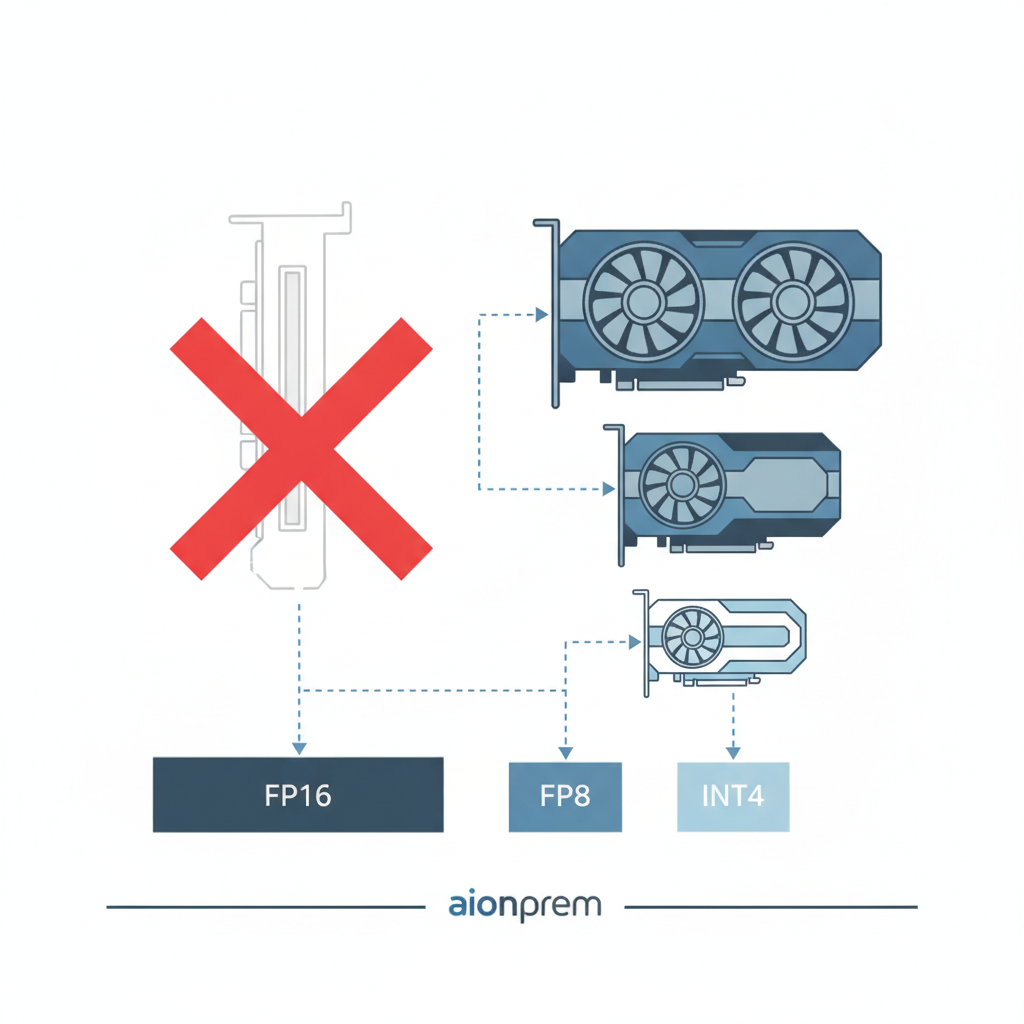
Choosing a GPU and quantization when the H200 is unavailable
The H200 rarely arrives on demand, and the rollout decision does not wait for delivery. We break down GPU selection for a 70B model from the availability side: how much memory it eats per precision, what it fits on after FP8 and INT4 quantization, and which card to take instead of the H200.
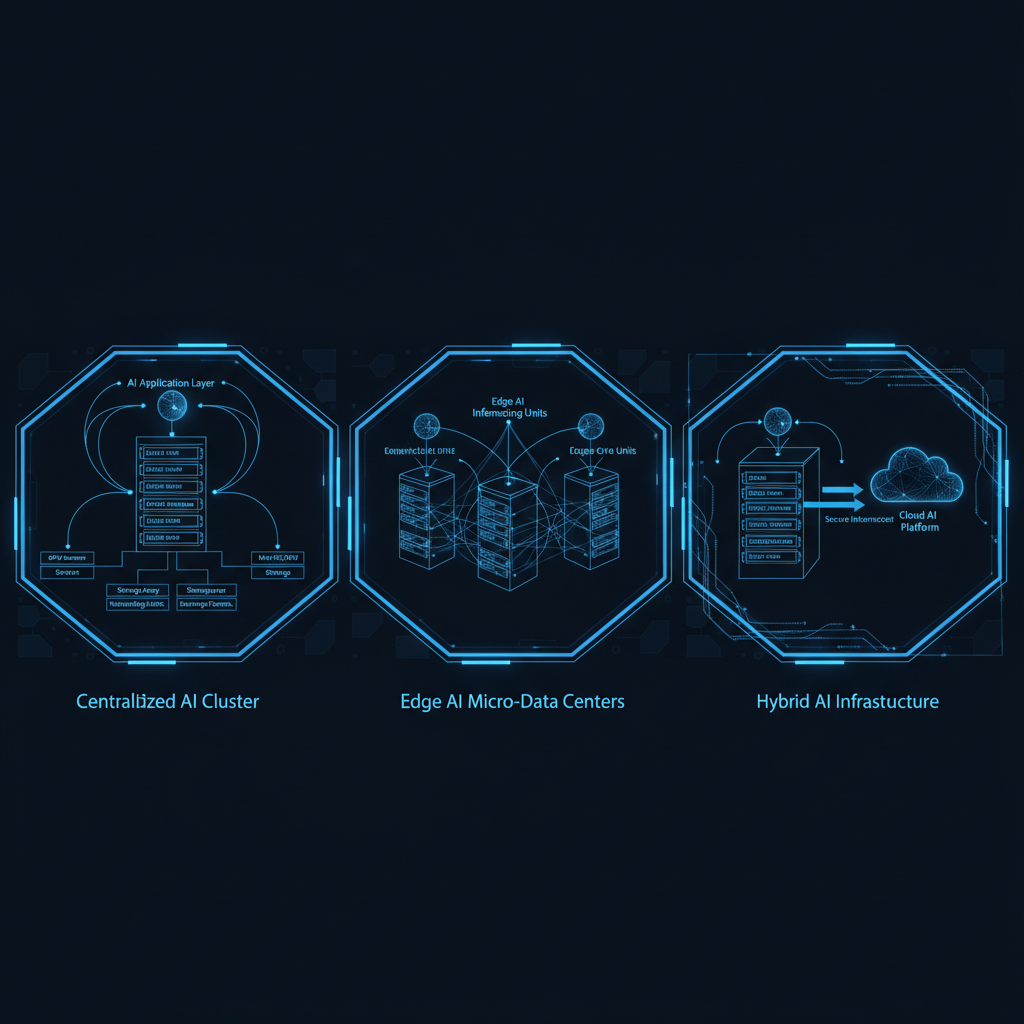
DIY, productized, or managed: three on-prem AI models and who maintains them
"On-prem AI" isn't one deployment model but at least three, with different cost, risk, and team-load profiles. We break them down so CISOs and CIOs know which conversation they're really having before the RFP.
Bare-metal, colocation, or appliance: where to put on-prem AI (CAPEX and OPEX)
Bare-metal in your own server room, colocation with dedicated hardware, or a vendor's managed appliance. Three on-prem AI deployment models for European manufacturing in 2026: CAPEX and OPEX numbers, NIS2 risk profiles, when each makes sense — and when to skip on-prem entirely.